Read the whole setupGet the setup that works.
Drop your email and unlock the rest: what you need, the pipeline in the order to run it, the config values that decide model size, and where the checkpoints land.
One email. No follow-up unless I ship something that fits.
WHAT YOU NEED- An NVIDIA GPU. A single 3090 is the reference card the timing claims are measured against
- Python with PyTorch installed for your specific CUDA version, before anything else
- A cloud GPU rental, if you do not own one. Renting by the hour is the cheaper path to the reference timing
INSTALLClone shallow, install the rest yourself
The shallow clone skips the training history, which is large. Install PyTorch for your GPU before the rest of requirements.txt, since the file leaves it commented out on purpose.
The install
terminalsingle GPU machine
$ git clone --depth 1 https://github.com/jingyaogong/minimind $ pip install torch --index-url https://download.pytorch.org/whl/cu124 $ cd minimind && pip install -r requirements.txt
Pretraining scripts and datasets live under dataset/ and trainer/, staged so you can run pretrain, then SFT, then the alignment stages in sequence without rewriting paths.
Prove itRun the SFT stage for one epoch on the smallest dataset variant first. A completed run in roughly two hours on a 3090-class card confirms your environment matches the reference timing.
CONFIGUREModel size is a config choice
Dense versus MoE and the parameter count are set before training starts, not after. Pick the size that matches the GPU memory you actually have.
training configmy values
# dense, 64M, fits an 8-12GB card comfortably model_type: dense, dim: 512 # MoE, 198M total / 64M active, needs more VRAM headroom
| Setting | Default | Why I change it |
|---|
| model_type | dense | MoE gets more effective capacity from the same active-parameter compute, worth it once dense training runs cleanly. |
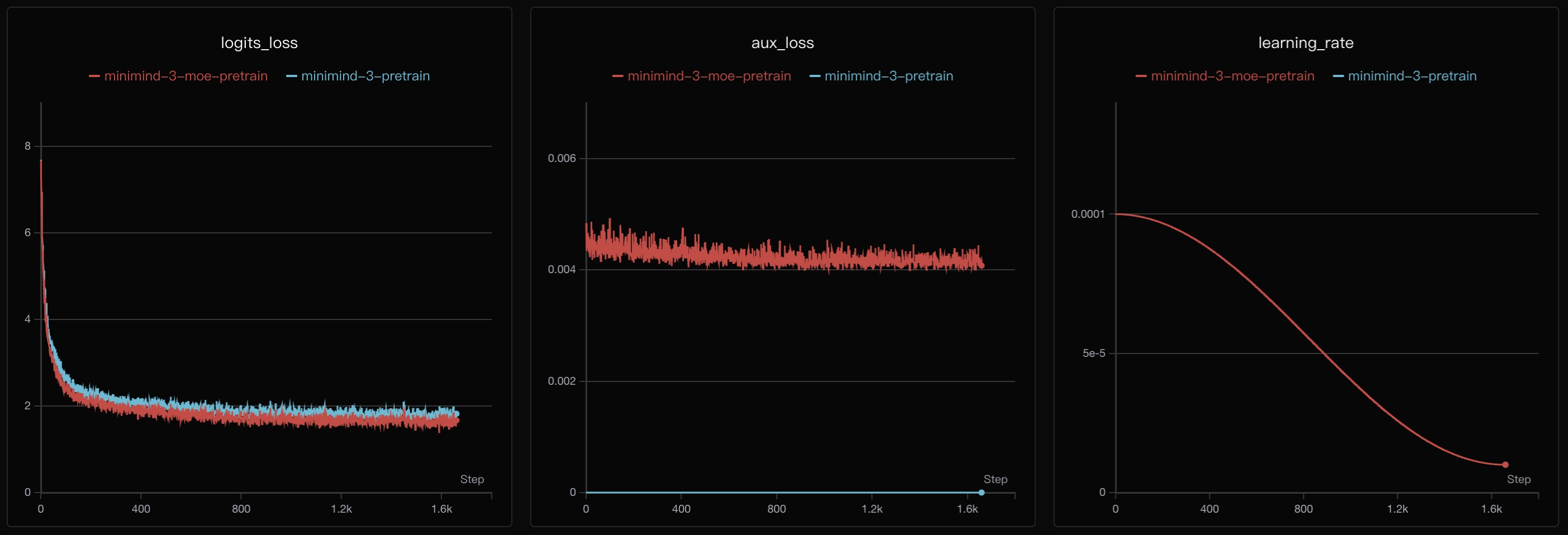
| wandb / swanlab logging | off | Turn one on before a multi-hour run. Watching the loss curve live catches a bad learning rate long before the run finishes. |
GPU memoryThe reference 3090 has 24GB. A smaller card should start with the dense 64M configuration, not the MoE variant, until you have confirmed it fits.
DAILY DRIVINGThe pipeline runs in stages
Each stage is a separate script and produces a checkpoint the next stage reads. Running them out of order is the most common way to waste GPU hours.
- Pretrain first. Learns language structure from raw text. This is the expensive stage the two-hour figure does not include.
- Then SFT. Supervised fine-tuning on instruction data, one epoch, the stage the timing claim describes.
- Then align, if you want it. LoRA, DPO, or the PPO/GRPO/CISPO reinforcement stages layer on top of a working SFT checkpoint.
Serve the finished checkpoint with the included OpenAI-compatible server, or export it to llama.cpp or ollama for a lighter runtime.
WHEN IT DRIFTSTwo failures, both configuration
Out of memory partway through
The MoE configuration or a batch size sized for a 24GB card was used on a smaller GPU. Drop to the dense 64M model and reduce batch size before anything else.
Loss does not move
PyTorch installed without matching CUDA support silently falls back to CPU or a broken kernel. Re-check the PyTorch install against your driver version first.
ResumingTraining supports checkpoint resume across an interrupted run, including across a different GPU count, so a cloud rental timing out mid-run does not mean starting over.
THE SHAPE OF ITWhere everything lives
dataset/the pretrain, SFT and RLAIF data files model/the from-scratch model architecture code trainer/one script per pipeline stage scripts/conversion, LoRA merge and serving utilities images/the loss curves and architecture diagrams from the README
A finished checkpoint is a plain PyTorch state file. Nothing about serving or exporting it depends on this repo staying installed.
That is the whole setupPretrain, fine-tune, align, all from scratch, all on one GPU. The two-hour, one-epoch fine-tuning run is the fast part. Understanding what happened in it is the actual point.
Open on GitHub →
↑ Unlocks the moment you submit the form above.