Back to all resources
gods-eye-view v0.1.1 MIT · free Browser, keyless to start LIVE

See what is actually flying over your city.

Flight, ship, satellite and camera data are already public, scattered across a dozen feeds nobody has time to check separately. God's Eye View pulls them onto one photorealistic 3D globe you run locally, click-to-track any target, and talk to with voice. It opens with no account and no API key. Photorealistic 3D tiles need an optional paid key later, if you want them.

By Raj Singh · September 2026 · 25.7k stars · #1 on GitHub Trending, August 2026 · 6 min read
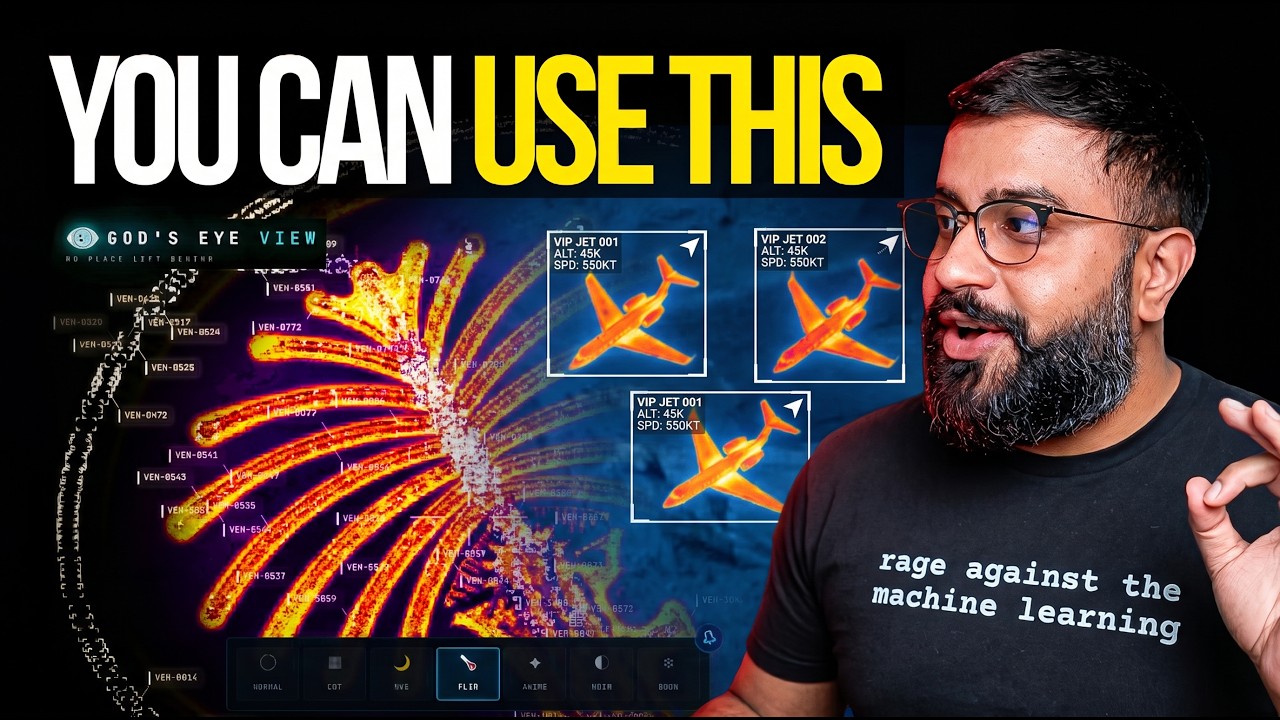
WHAT IT LOOKS LIKE

The globe on open, before you touch a key or an account: live aircraft as tracked contacts, a cockpit view you can drop into, and the tactical HUD overlay running on public data the whole time.

A video thumbnail showing the tracked live globe with an orbital HUD overlay
The globe, live, with zero configurationbilawalsidhu / gods-eye-view
BEFORE YOU INSTALL IT

It opens with zero keys. Esri satellite imagery and keyless terrain load by default. Flights, military traffic, satellites, earthquakes, public cameras and radio all work before you touch the settings panel.

Two install paths, same app. Pinokio 8.2 or newer gives you a one-click install and start button on Windows, macOS or Linux. The terminal path needs Node 24.14 or newer, or 26.x, plus npm ci.

Traffic on roads is simulated. The README says it directly: road traffic is modeled along real roads from aggregate location data, not a live feed. CCTV camera poses and rocket trajectories are coarse estimates, not exact positions.

Photorealistic tiles cost extra. A Cesium ion token unlocks eligible personal, non-commercial 3D tiles for free. A metered Google Maps key is the direct, paid route with in-app place search. Provider quotas apply either way.

Licence, in plain English: MIT, declared in package.json. Free for commercial work, fine to fork or self-host, no obligation beyond keeping the licence file.

Honest limitIt shows you what public feeds already know, nothing more. A vessel with its transponder off, or a camera that never went online, does not exist on this globe any more than it exists on FlightAware.
Read the whole setup

Get the setup that works.

Drop your email and unlock the rest: what you need, the terminal install, the two keys worth adding and why, and what to do when a feed goes quiet.

One email. No follow-up unless I ship something that fits.

WHAT YOU NEED
  • Node.js 24.14 or newer, or 26.x, for the terminal path
  • Pinokio 8.2 or newer if you want the one-click path instead
  • Nothing else, no account or API key to open the globe with live public data
INSTALL

Terminal path, if you skip Pinokio

Clone it, install with the exact Node engine range in package.json, then run the setup doctor before the dev server. The doctor catches the Node-version mismatch before it becomes a confusing runtime error.

The install

terminalcloned repo
$ git clone https://github.com/bilawalsidhu/gods-eye-view.git $ cd gods-eye-view && npm ci $ npm run doctor $ npm run dev

npm run doctor exists because the engine range is exact: Node 24.14 to under 25, or 26 and up. A Node install outside that range is the single most common reason the dev server refuses to start.

Prove itOpen the local dev URL and wait for the globe to render aircraft near a major airport. Contacts appearing within a few seconds means the live ADS-B feed connected.
CONFIGURE

Two keys, both optional

The in-app POWER UP panel is the intended way to add keys, it writes .env for you. .env.example is the reference if you are running headless or self-hosted.

.envmy values
# left blank: keyless Esri imagery loads instead GOOGLE_MAPS_API_KEY= # a Cesium ion token unlocks Google 3D tiles for free, non-commercial use
SettingDefaultWhy I change it
GOOGLE_MAPS_API_KEYemptyClient-exposed by design, visible in devtools. Restrict it by HTTP referrer in Google Cloud before you set it, not after.
Cesium ion tokennoneFree for personal non-commercial use and gets you photorealistic 3D without a metered bill. Add this before a paid Google key, not instead of trying keyless first.
Scope ruleBoth API keys in this app are client-exposed by design, since they run in the browser. Restrict them at the provider (HTTP referrer, API restriction) rather than treating them as secret.
DAILY DRIVING

Click, track, talk

The interface rewards clicking around more than reading docs. Voice control is the one feature worth learning deliberately, since it is not obvious from the UI alone.

  • Click anything to track it. The camera locks on, draws a trail, and surfaces full metadata for that aircraft, ship or contact.
  • Speak to annotate. Voice whiteboard draws real boundary polygons, marks and routes onto the globe from spoken commands.
  • Share a live view. Camera position, style, layers and a tracked target all serialize into one URL, so a share is a handoff, not a static screenshot.

A tracked vessel or fire hands off to the nearest live public camera in one click, which is the feature that makes this feel like more than a map.

WHEN IT DRIFTS

Two failures, both configuration

Install fails under Pinokio
You are on Pinokio older than 8.2. Update Pinokio first; the maintainer's own v0.1.1 notes name this as the fix for the reported install failures.
No 3D tiles, only flat imagery
No Cesium ion token or Google Maps key is set. That is the keyless fallback working as designed, not a bug; add a key through POWER UP if you want photorealistic tiles.
macOS keyless launch./scripts/dev-fresh.sh crashed under the stock Bash 3.2 that ships on macOS before v0.1.1. Update to v0.1.1 or newer if you hit that specifically.
THE SHAPE OF IT

Where everything lives

.env / .env.exampleyour keys, all optional, all client-exposed docs/CURRENT-STATE.mdwhat is live right now versus in progress docs/KNOWN-ISSUES.mdthe maintainer's own list, read before filing a duplicate scripts/setup-doctor.mjsthe Node-version and environment check src/the Cesium globe, layers and voice-control logic

Nothing here writes to your machine outside the checkout. Deleting the folder removes the app and any .env you created inside it.

That is the whole setup

One clone, one optional key, and public flight, ship and camera data becomes one globe instead of a dozen tabs. Start keyless, add a Cesium token only once you actually want the photorealistic tiles.

Open on GitHub →

↑ Unlocks the moment you submit the form above.

RS
WRITTEN BY

Raj Singh

I'm Raj Singh, founder of DebtOps.ai and a Claude certified partner. Over the last five years I've managed $25M in ads, built AI solutions for Fortune 100 companies, and installed AI operating systems and AI brains inside small businesses. Everything here is something I've shipped, debugged, or watched a client ship. My goal with AgileSingh is to make you irreplaceable in this AI age.

$25M
Ads managed · 5 yrs
F100
Enterprise AI builds
Claude
Certified partner
25
Guides shipped
More guides

Now point an agent at your own data.

Public feeds on a globe is one kind of live dashboard. The AI infrastructure stack guide covers the layer where your own product's data gets the same real-time treatment.